
- Header Cutomization
- Log in to your WordPress admin dashboard.
- Navigate to Appearance and click on Editor.
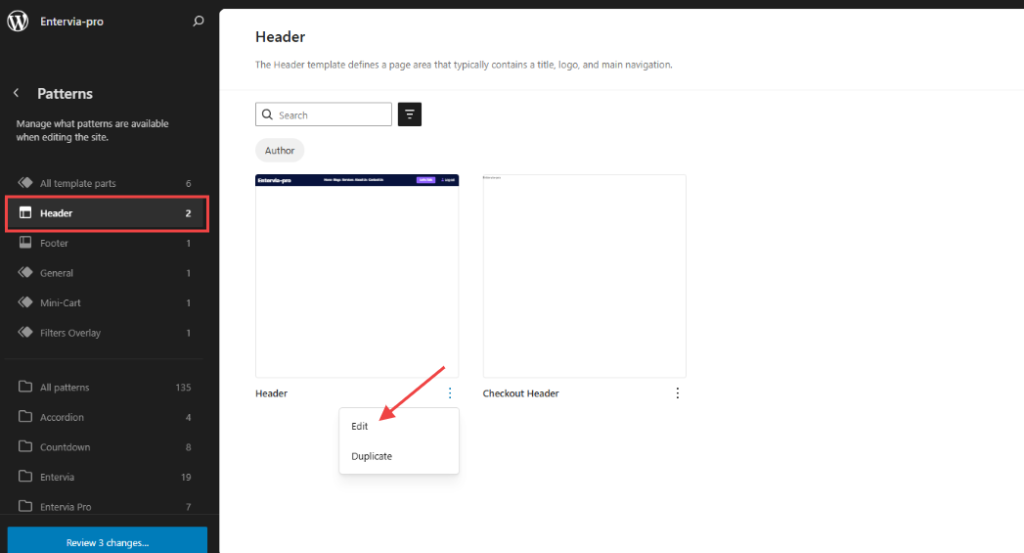
- In the Editor, select Patterns to find patterns and template parts.
- Click on Header to open the header editor.
- Click the header template in the bottom-right corner, then select the three dots icon and choose Edit.
- Preview changes to see how they look on your live site, and click Save.
2. Footer Customization:
- Log in to your WordPress admin dashboard.
- Navigate to Appearance and click on Editor.
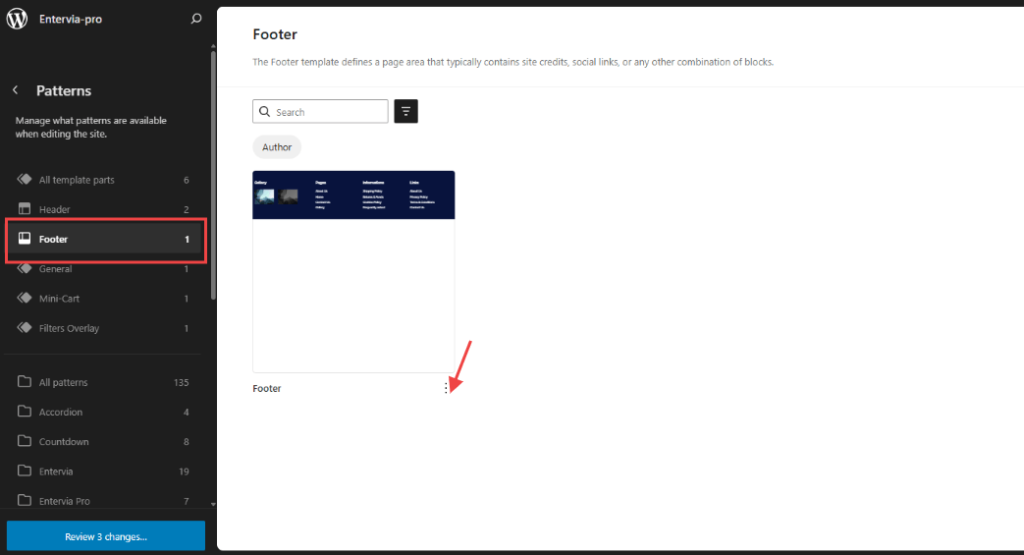
- In the Editor, select Patterns to find patterns and template parts.
- Click on Footer to open the header editor.
- Click the footer template in the bottom-right corner, then select the three dots icon and choose Edit.
- Preview changes to see how they look on your live site, and click Save.


