
1. Add new page:
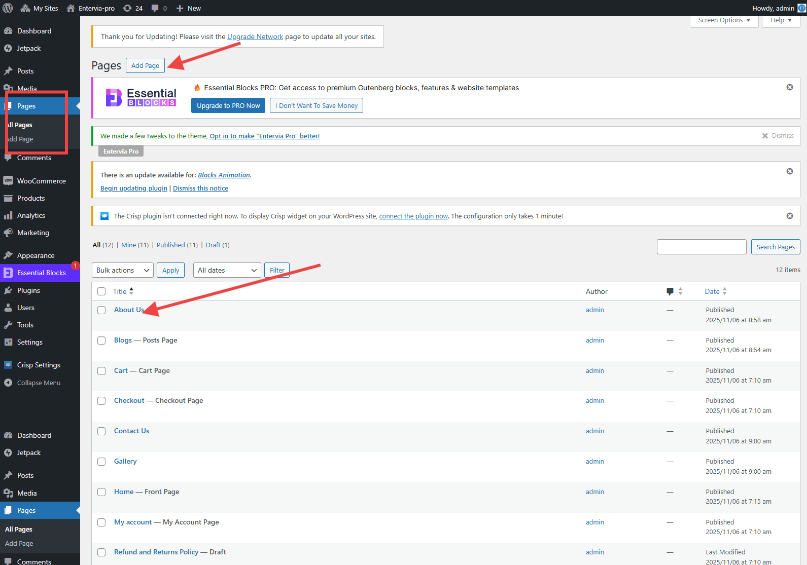
- Login to your WordPress Dashboard.
- Navigate to Pages and click on Add New Page.
- You will be taken to page editor screen and you can add title and content.
- Once you’ve added your content, you can either save it as a draft to work on later or click the Publish button to make it live on your website.
2. Add new posts:
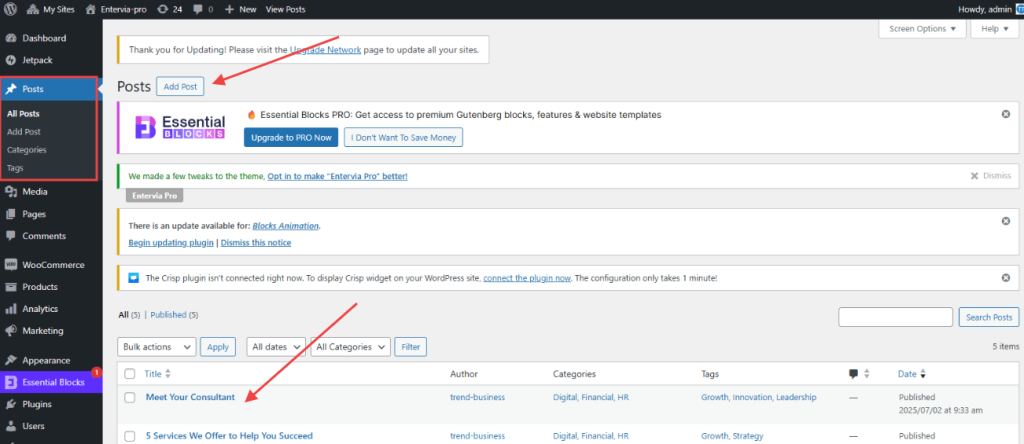
- Login to your WordPress Dashboard.
- Navigate to Posts and click on Add New Posts.
- You will be taken to post editor screen and you can add title and content.
- Once you’ve added your content, you can either save it as a draft to work on later or click the Publish button to make it live on your website.


