
- Login to your WordPress Dashboard.
- Go to Appearance > Editor.
- Navigate to the template files where you want to apply custom CSS.
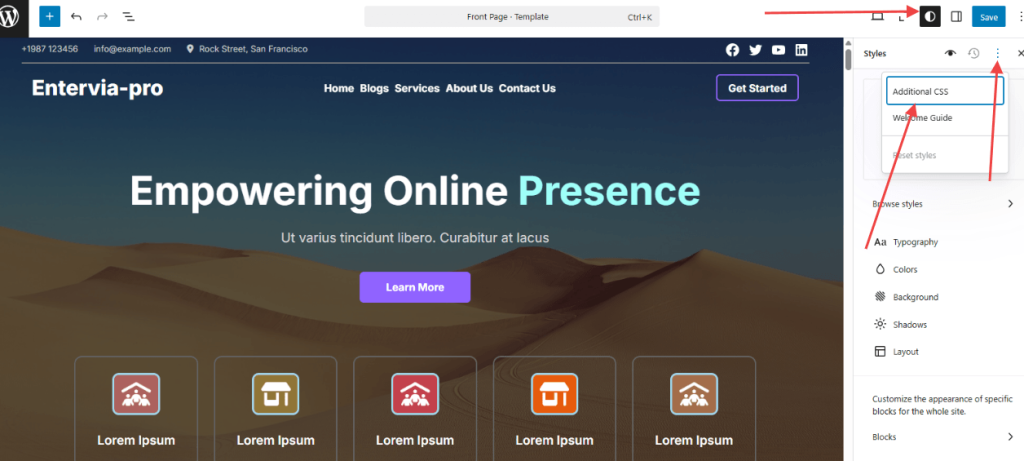
- Look for the Styles option. It’s usually located at the top-right of the editing page.
- Click on it, and you’ll see a Additional CSS.
- Click on Additional CSS and you’ll see a text area where you can add your custom CSS.


